Features
Everything Fluxi does, and why
Fluxi writes, designs and schedules your social posts. The AI drafts posts from your photos in your brand’s voice and makes the images to match; the scheduler publishes them to every network, organised by client. Here is every feature, and why it works the way it does.
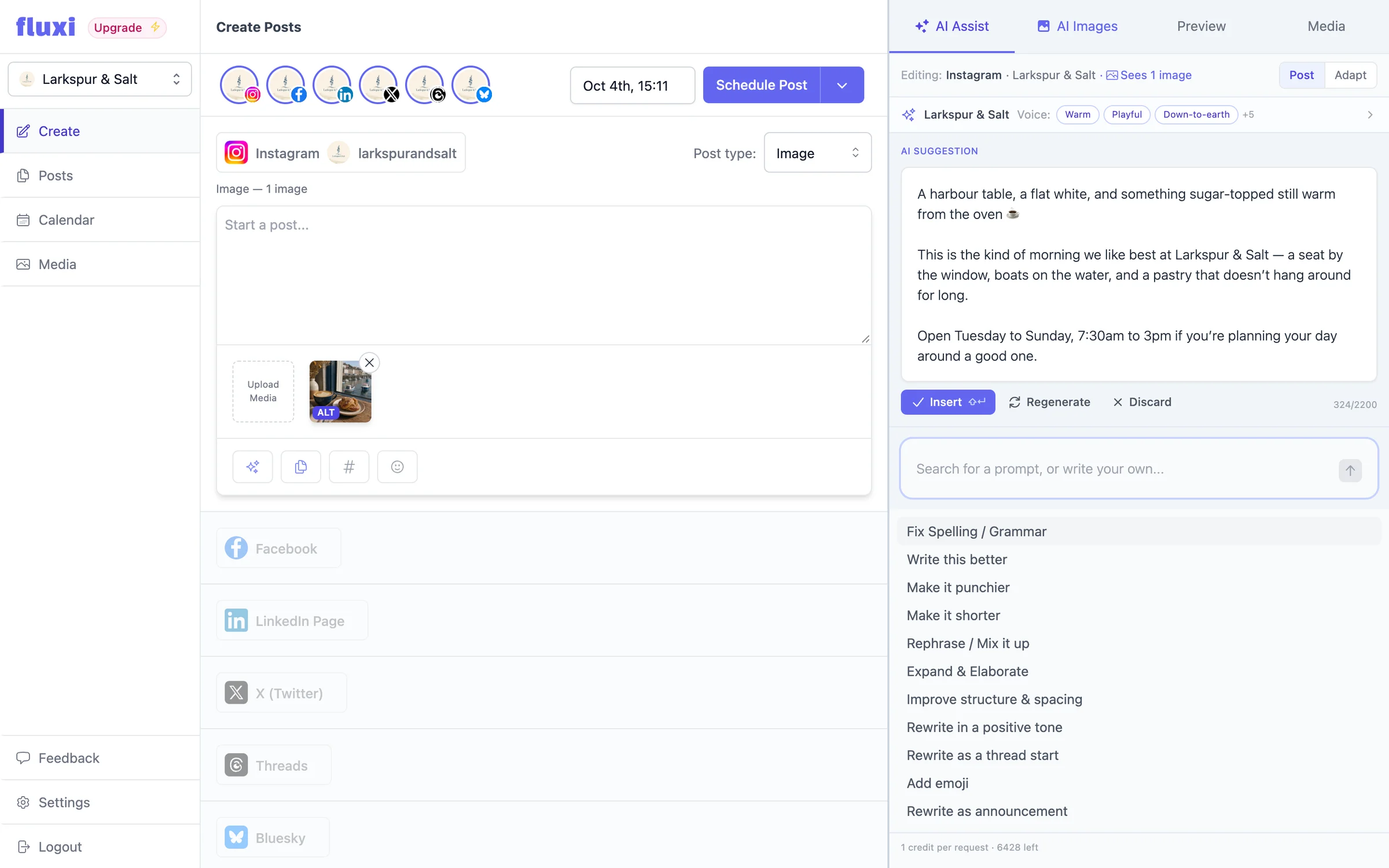
AI Assist
AI Assist sits beside the Fluxi composer. Give it a photo or a sentence and it writes the post, in your brand’s voice, at the right length for the network. Refine it with one click, turn it into a thread, or adapt it for every other account — then insert it, schedule it, and move on.
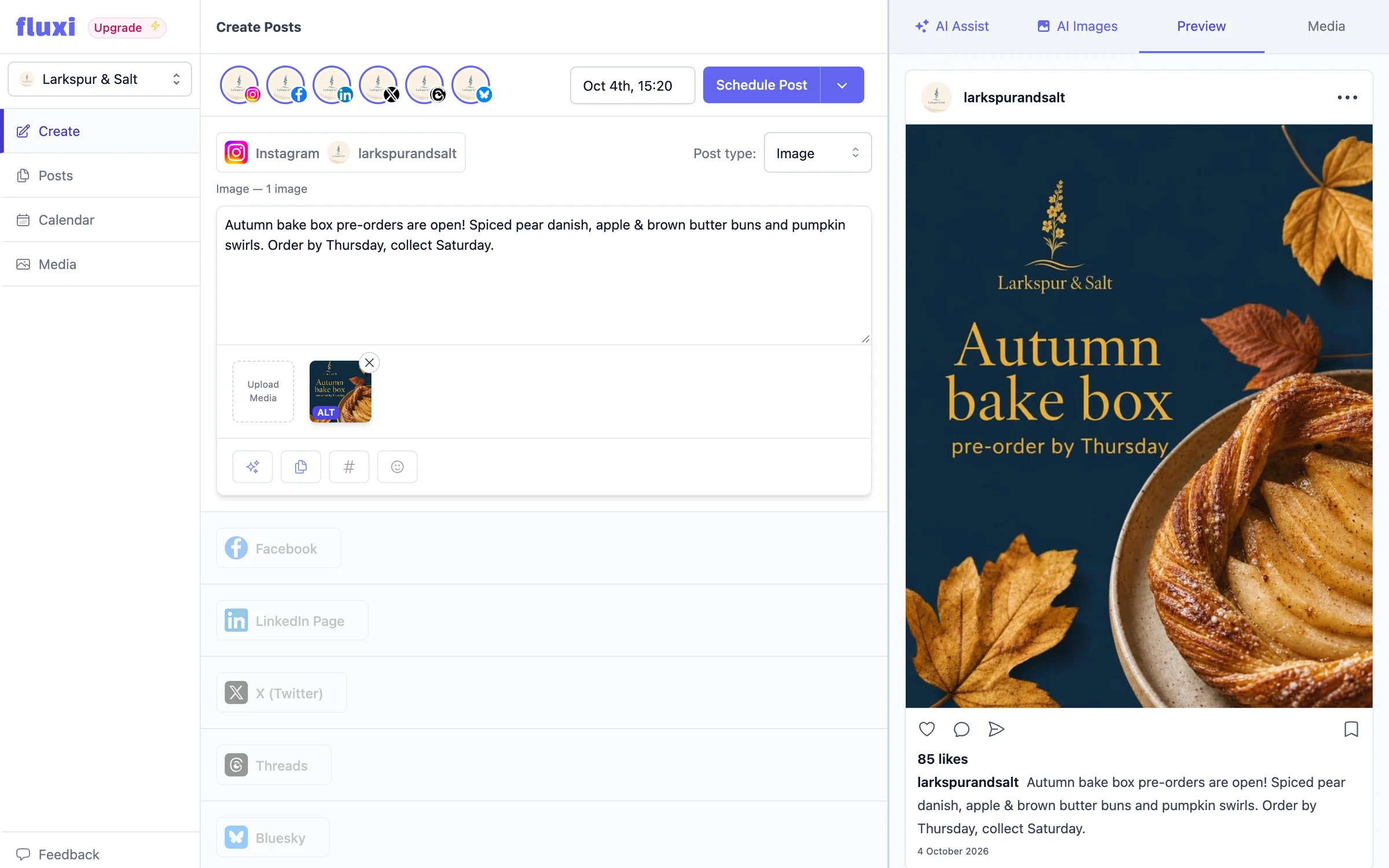
AI Images
AI Images is a tab beside the composer. Describe the image — or leave it blank and it will illustrate the post you have written — choose a photo or a graphic, and it is made at the shape the network wants, with your logo and brand colours if you ask. Then change anything in plain English until it is right.
Brand voice
Generic AI writes generic posts. In Fluxi every social portfolio has a brand voice — how it should sound — and a business profile — what it may say. AI Assist and AI Images use both on every request, so the café sounds like the café, and the post about the new pastry knows what it costs.
Scheduling
Fluxi’s composer puts every network you manage on one screen. Write the post, copy it across in one click, trim each network’s version to fit, check the preview, pick a time — and it goes out without you being at your desk.
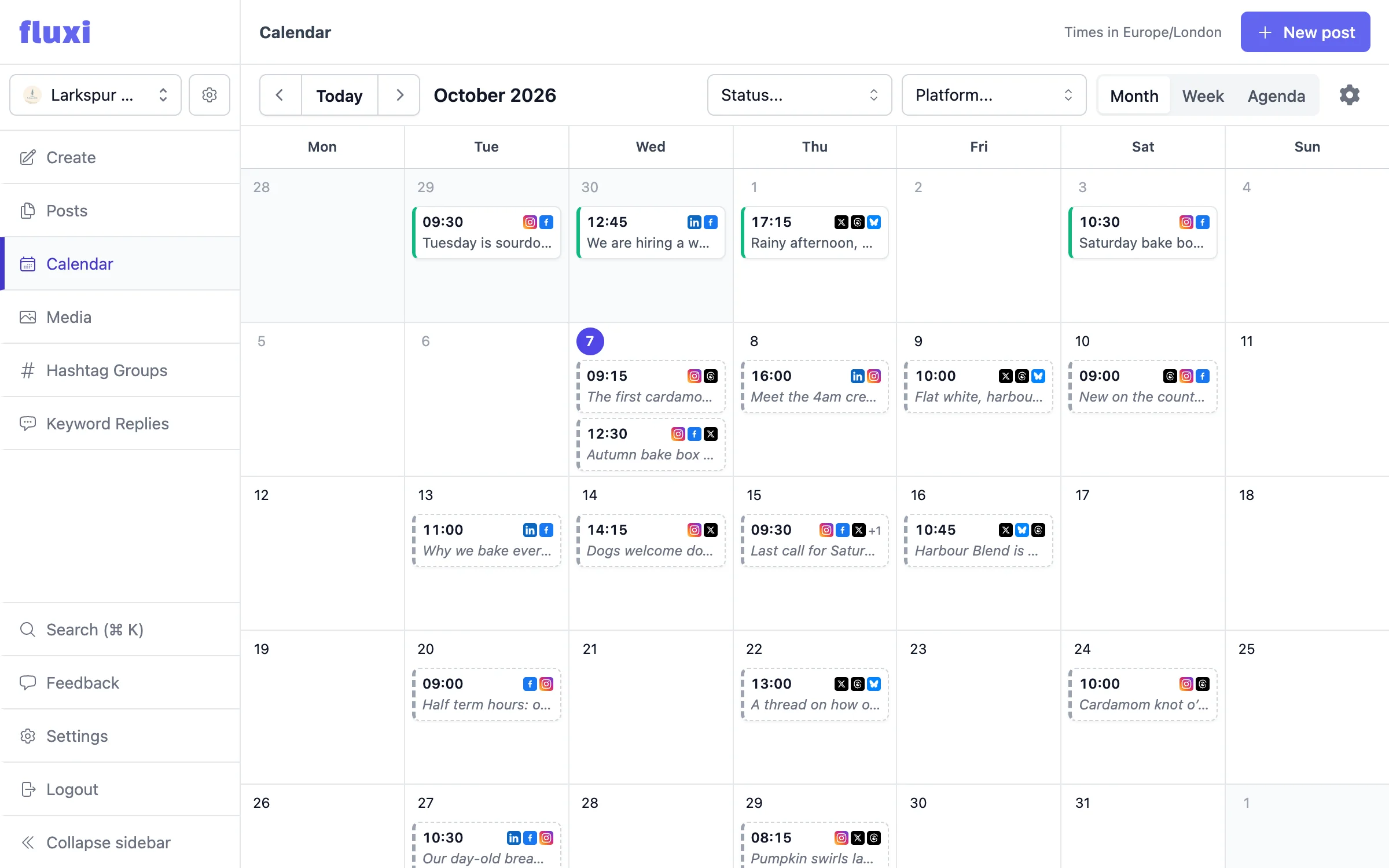
Content calendar
The calendar is the plan. Every post across every connected account, by month, by week or as an agenda, so you can see at a glance where the week is thin — and fill it before anyone asks why the feed went quiet.
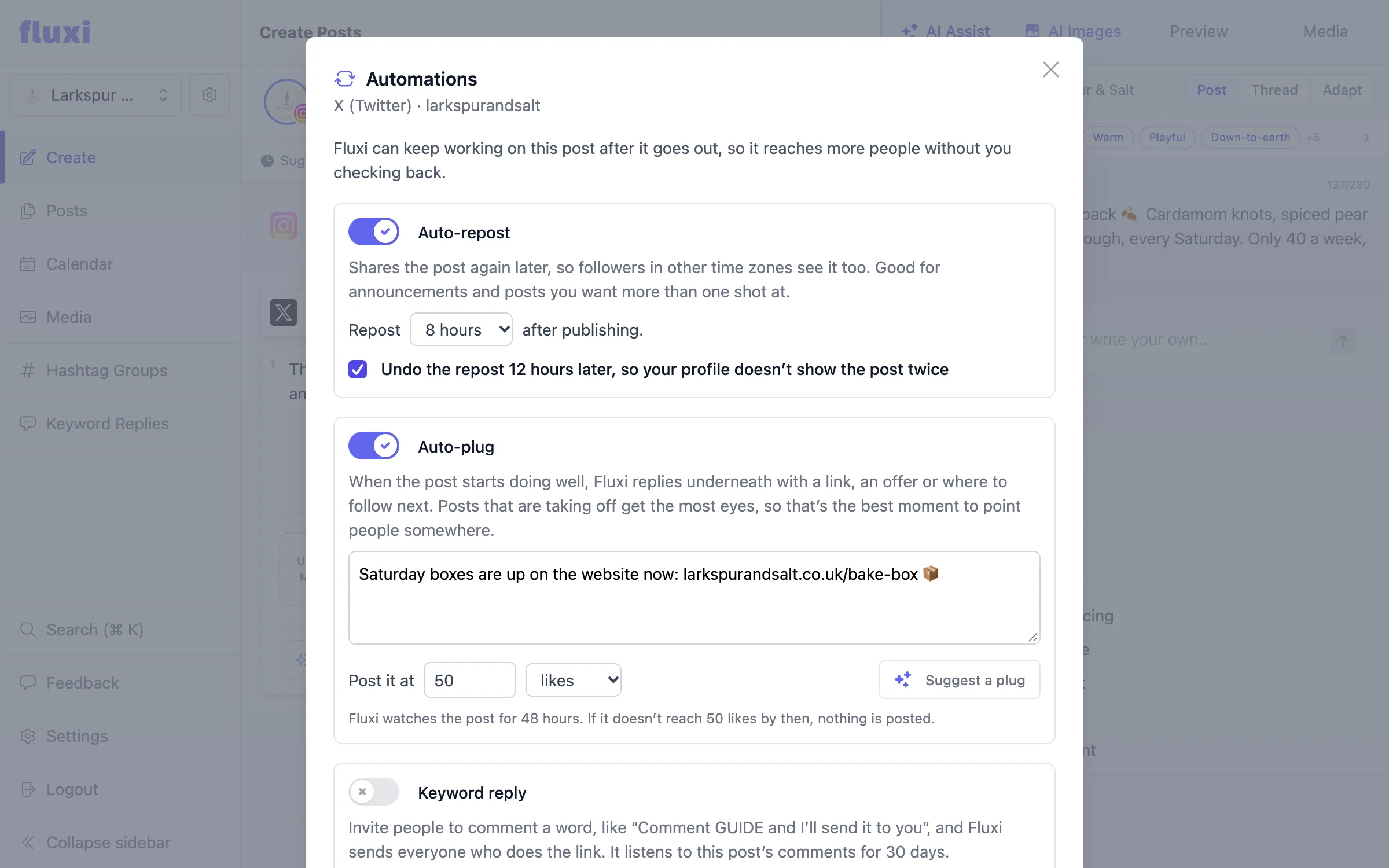
Automations
Most posts get one shot at the feed. Fluxi can give them a second: repost a post later for the followers who were asleep, and reply underneath with a link the moment it starts doing well — set up once, in the composer, and run without you checking back.
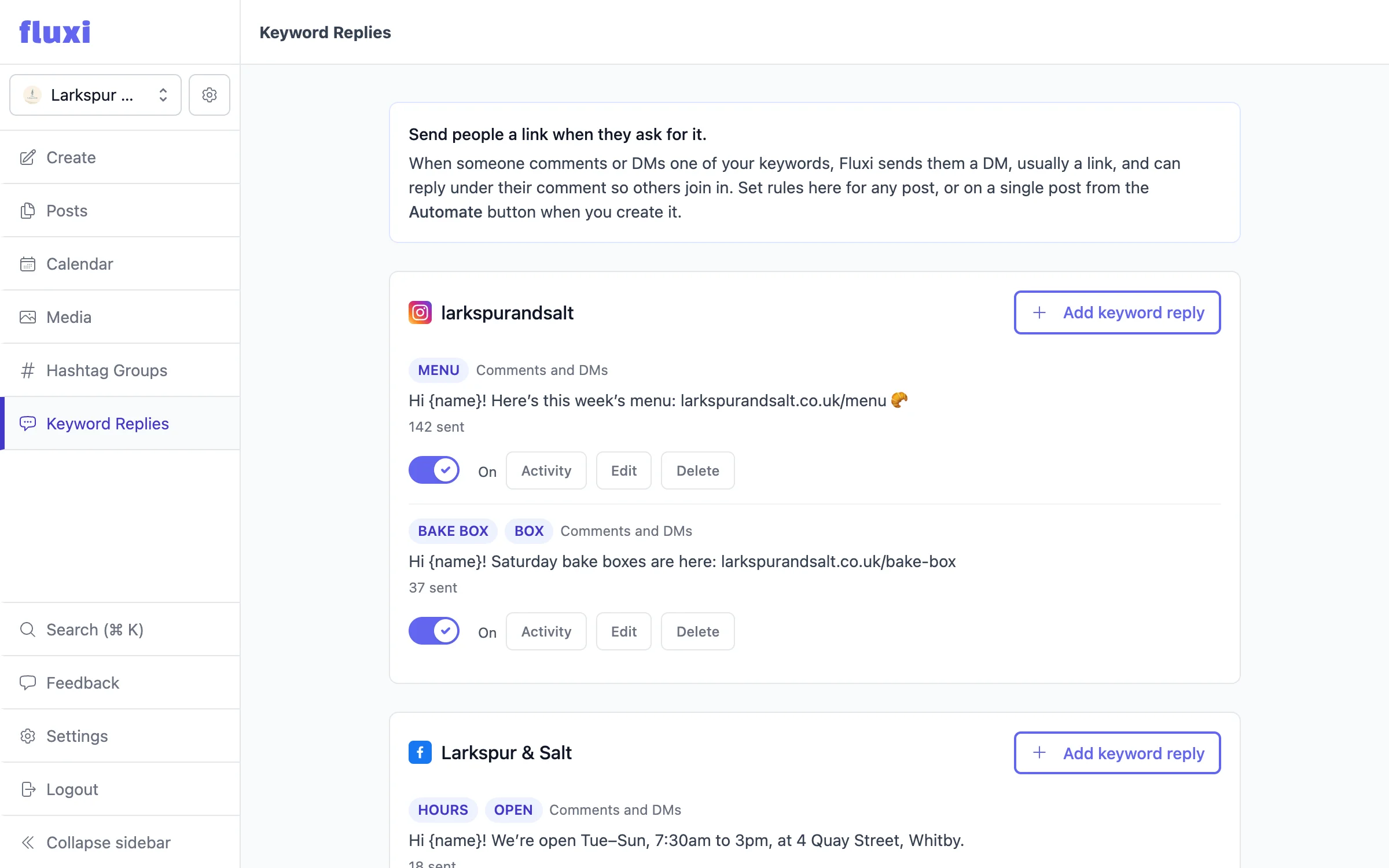
Keyword replies
Ask people to comment a word — “Comment GUIDE and I’ll send it to you” — and Fluxi sends everyone who does the link, usually by direct message, within minutes. Comments go up, the people who wanted the link get it, and nobody spends an evening copy-pasting replies.
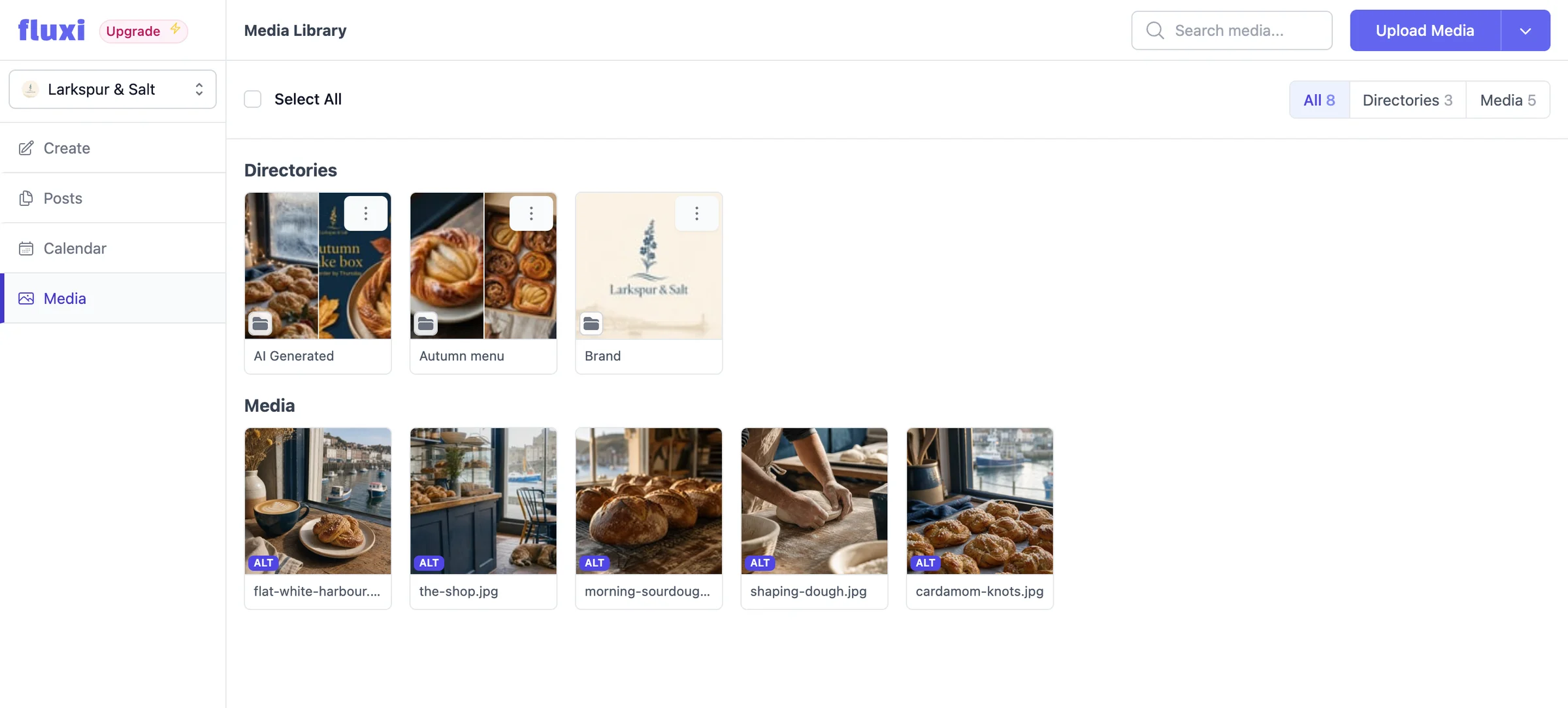
Media library
Every social portfolio gets its own media library. Upload images and video once, organise them into folders, and drop them into posts without leaving the composer — or opening the folder your client shared with you eight months ago.
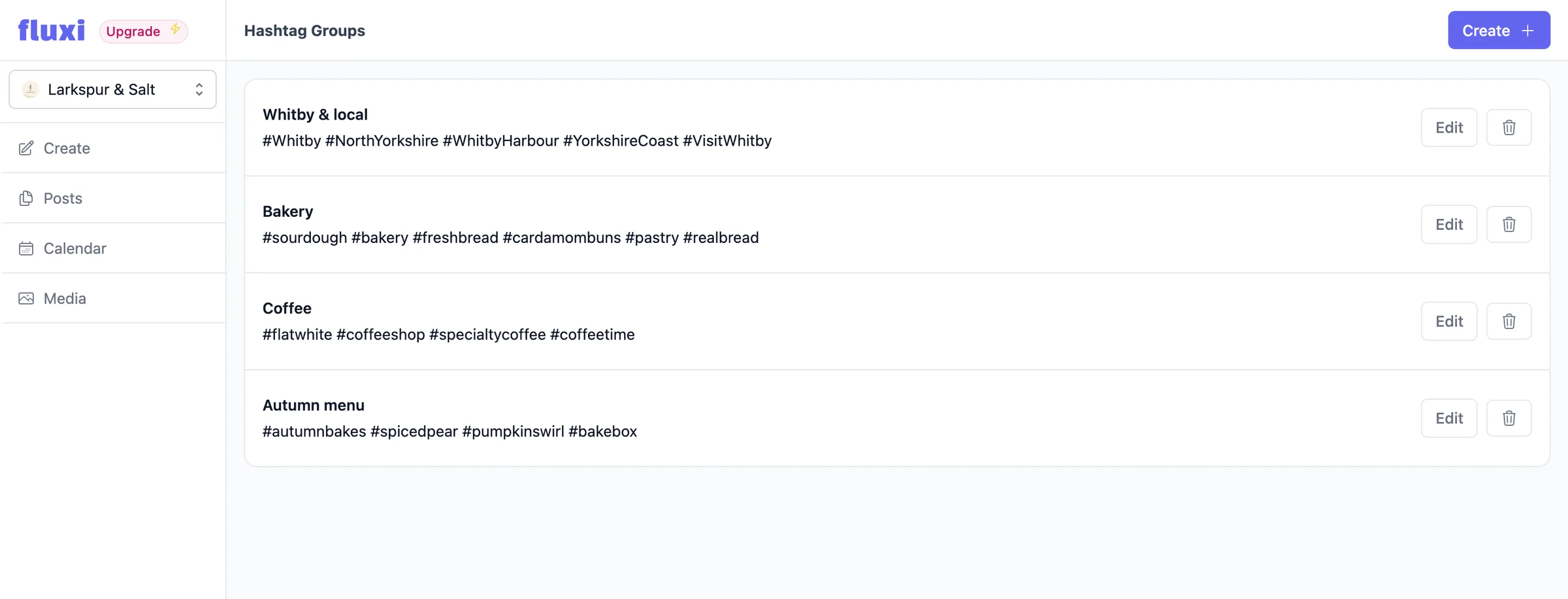
Hashtag groups
Build a group per campaign or per client, then insert the whole set into a post in one click. Groups live with the portfolio they belong to, so the right tags are always the ones in front of you — and the wrong client’s are not.
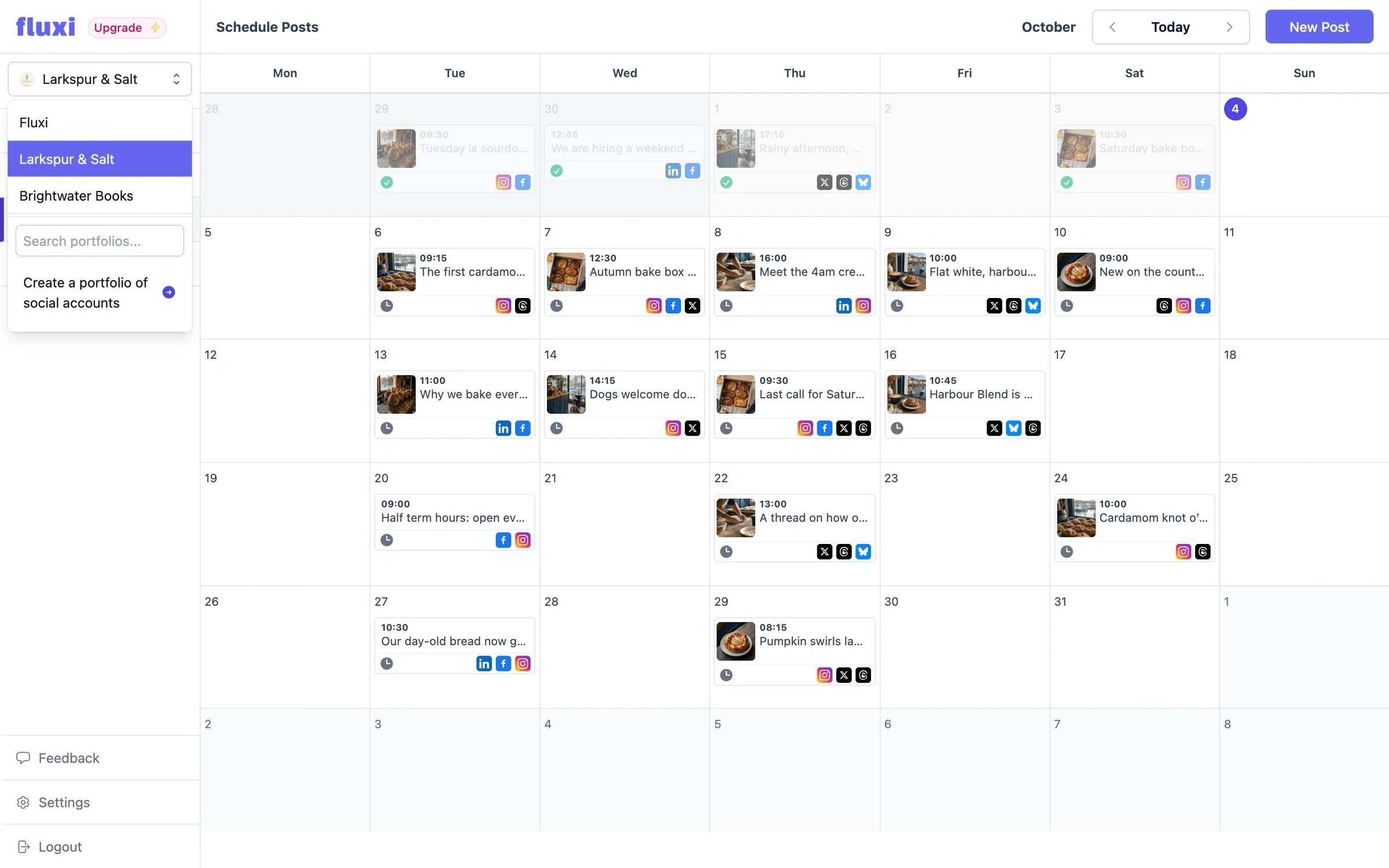
Social portfolios
A social portfolio holds one client’s connected accounts, their calendar, their media library and their hashtag groups. Switch between them from the sidebar, add one when you win work, remove one when you lose it — and your bill follows.
- Teams
Teams
Invite people by email and they work inside your team, against the same social portfolios. Connected accounts belong to Fluxi rather than to a person, so nobody needs a client’s login — and removing someone takes one click rather than a password reset.
 X
X LinkedIn
 Instagram
 TikTok
 YouTube
 Threads
 Facebook
 Bluesky
Get your next week scheduled
Connect an account, write a post and put it in the calendar. You can do all of it on the free trial, today.
14 days free. No card required.