
larkspurandsalt
Instagram · draft

AI Assist
AI Assist sits beside the Fluxi composer. Give it a photo or a sentence and it writes the post, in your brand’s voice, at the right length for the network. Refine it with one click, turn it into a thread, or adapt it for every other account — then insert it, schedule it, and move on.
AI Assist
Brief
Write a post about: Our spiced pear danish is back for autumn, only 30 a day
Sending…
One-click edit
Make it punchier
Your own words
Mention it goes perfectly with a Harbour Blend flat white
Adapt mode
Adapt for 3 more networks
Real output from AI Assist for a demo bakery, replayed at the speed it streams. One credit per request.
larkspurandsalt
Instagram · draft
Adapted from the Instagram post
X
—
—
Bluesky
—
Autumn’s back on the counter in the form of our spiced pear danish 🍐 It goes perfectly with a Harbour Blend flat white. We’re only baking 30 a day, so when they’re gone, they’re gone. Baked on site this morning for a harbour stop in Whitby. Tue–Sun, 7:30am to 3pm 4 Quay Street, Whitby #Whitby #bakery
Add an image and press “Generate post for this image”. It looks at the photo and writes around what is actually in it.
It writes with your saved tone, audience, sample and banned words, and the facts in your business profile.
Adapt rewrites the post for each of your other accounts, following their conventions and character limits.
Every result is a suggestion. Insert it, regenerate it or discard it — and undo after inserting if you change your mind.
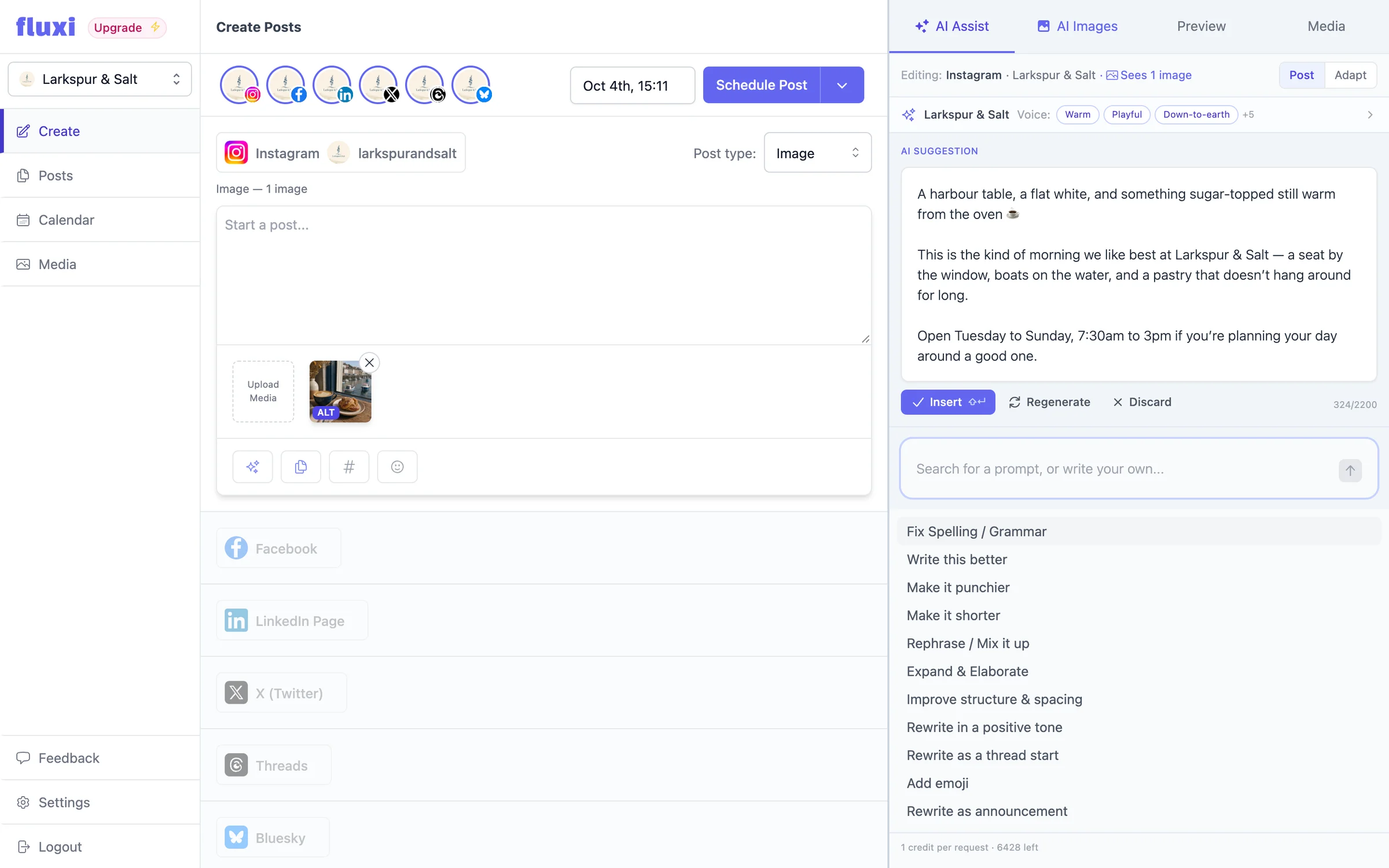
Plenty of people already write social posts with a chatbot, and the workflow is miserable: describe the business again, paste the result into the scheduler, find it is forty characters too long for X, go back, paste again, then do it all once more for LinkedIn. Every round trip loses the context — the network, the photo, the brand. AI Assist removes the round trips. It already knows the network you are writing for, sees the images on the post and has your brand voice and business profile in hand, so the first draft is usually close and the second is done.
Most posts start with one of two things: a picture you want to share, or an idea you want to get out. AI Assist starts from either.
Most real editing is a handful of moves repeated endlessly, so AI Assist has them ready: fix spelling and grammar, write it better, make it punchier, make it shorter, rephrase, expand, improve structure and spacing, rewrite in a positive tone, rewrite as a thread start, add emoji, rewrite as an announcement. Start typing to filter the list. If none of them fit, type your own instruction — “mention the Saturday bake box”, “make it a question”, “drop the hashtags” — and it is applied to the draft.
Switch to Thread mode and AI Assist writes the whole chain: from a brief, from a long draft you want split, or by expanding a short post into a fuller story. Choose three, five or eight posts, or let it decide. Each post comes back as its own card with a character count, so you can edit one, regenerate one or remove one before replacing your thread with it.
Write the post once for the network you care about most, then open Adapt. AI Assist rewrites it for each of your other selected accounts — trimmed and tightened for X, given room to breathe on LinkedIn, kept as a thread where threads are native — keeping every fact and link. Apply each version on its own or all of them at once. It is the step that used to make cross-posting a chore, done in under a minute.
Each social portfolio has a brand voice — tone, audience, a sample of your writing, emoji and hashtag preferences, words to avoid — and a business profile with your products, prices, offers, opening hours and location. AI Assist uses both. That is why a post about a new pastry can say what it costs and when the shop is open, and why the café and the accountancy firm on the same Fluxi account never sound alike.
The fastest way to lose trust in an AI feature is to have it silently overwrite something you spent ten minutes on. AI Assist streams its suggestion into its own card while it writes, and the draft in the composer does not change until you press Insert. After inserting you can undo. And it never publishes anything: scheduling is always something you do on purpose.
AI Assist is included in every plan, including the free trial. Each request uses 1 AI credit — adapting a post for five networks uses five. Pay as you go includes 300 credits a month for every social portfolio, Unlimited includes 10,000, and paying teams can buy top-ups that last as long as they are subscribed.
Yes. Add one or more images to the post and press “Generate post for this image”. AI Assist looks at them and writes a post built around what they show. It will mention what is plainly visible, but it will not guess at things it cannot see, like who someone is.
That is what the brand voice and business profile are for. Set the tone, audience, a sample post and words to avoid, and add your products, offers and opening hours. AI Assist uses all of it, for every post in that portfolio.
No. It suggests text in the side panel and nothing changes until you insert it. Publishing is always something you schedule yourself.
Yes, for X, Threads and Bluesky. Write a thread from a brief, split a long draft into one, or expand a short post. Pick three, five or eight posts, or let it decide, then edit any post before replacing your thread.
Nothing extra. Each request uses 1 credit from your plan’s monthly allowance, and the free trial includes 50 credits. Paying teams can buy top-up packs if they need more.
Connect an account, write a post and put it in the calendar. You can do all of it on the free trial, today.
14 days free. No card required.