 X
X LinkedIn
 Instagram
 TikTok
 YouTube
 Threads
 Facebook
 Bluesky
larkspurandsalt
Instagram · draft

Fluxi’s AI writes in your brand’s voice, looks at your photos, designs on-brand images and rewrites every post for every network. You stay the editor. Fluxi does the scheduling.
14 days free · 50 AI credits included · no card required
Iterate in seconds
Give AI Assist a sentence and it writes the post. Ask for a change and it rewrites it. Press Adapt and every other network gets its own version. This is a real session, replayed.
AI Assist
Brief
Write a post about: Our spiced pear danish is back for autumn, only 30 a day
Sending…
One-click edit
Make it punchier
Your own words
Mention it goes perfectly with a Harbour Blend flat white
Adapt mode
Adapt for 3 more networks
Real output from AI Assist for a demo bakery, replayed at the speed it streams. One credit per request.
larkspurandsalt
Instagram · draft
Adapted from the Instagram post
X
—
—
Bluesky
—
Autumn’s back on the counter in the form of our spiced pear danish 🍐 It goes perfectly with a Harbour Blend flat white. We’re only baking 30 a day, so when they’re gone, they’re gone. Baked on site this morning for a harbour stop in Whitby. Tue–Sun, 7:30am to 3pm 4 Quay Street, Whitby #Whitby #bakery
From idea to scheduled
No chatbot in another tab, no design tool in a third. Writing, images, adapting and scheduling all happen beside the post you are working on.
AI Assist
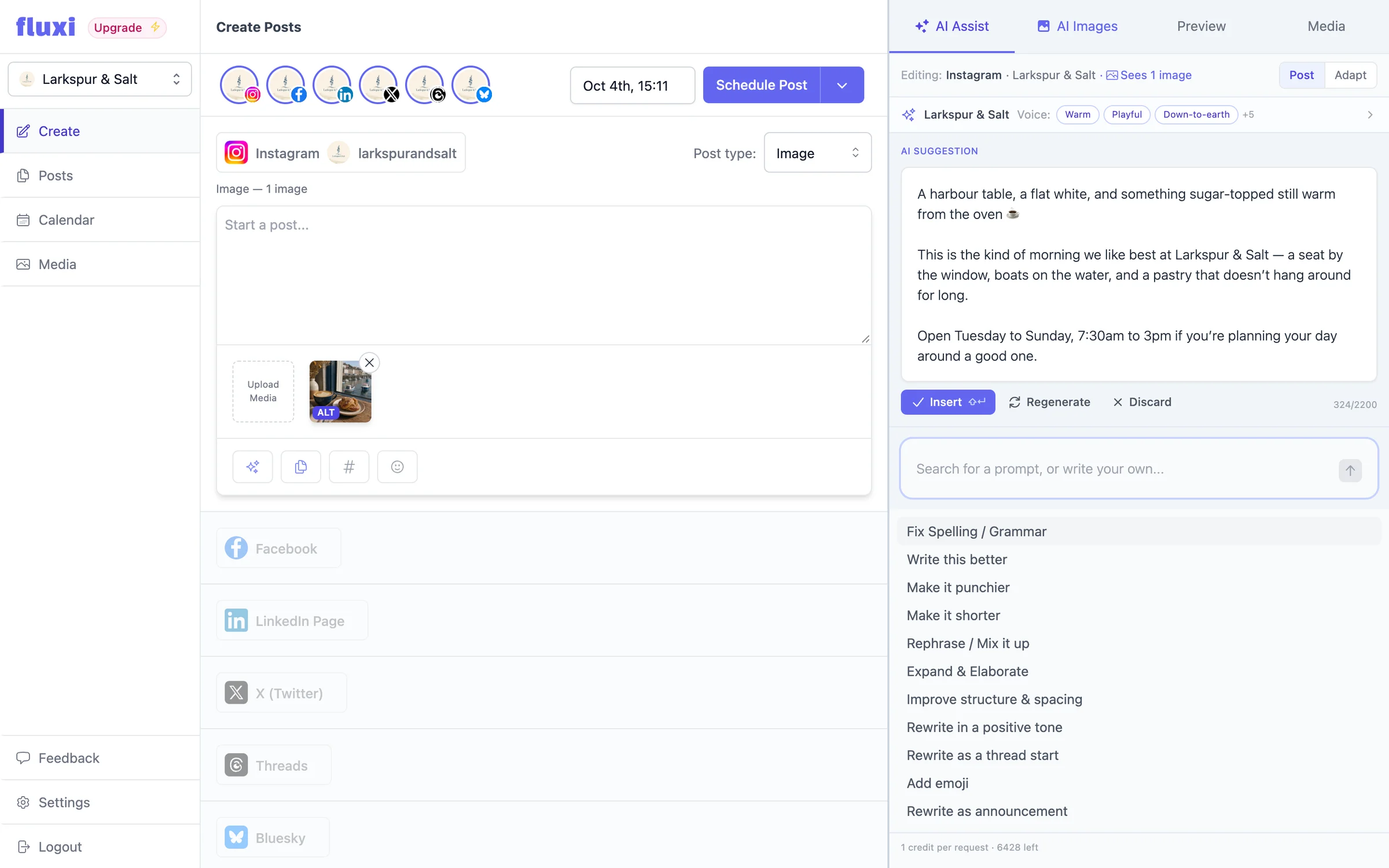
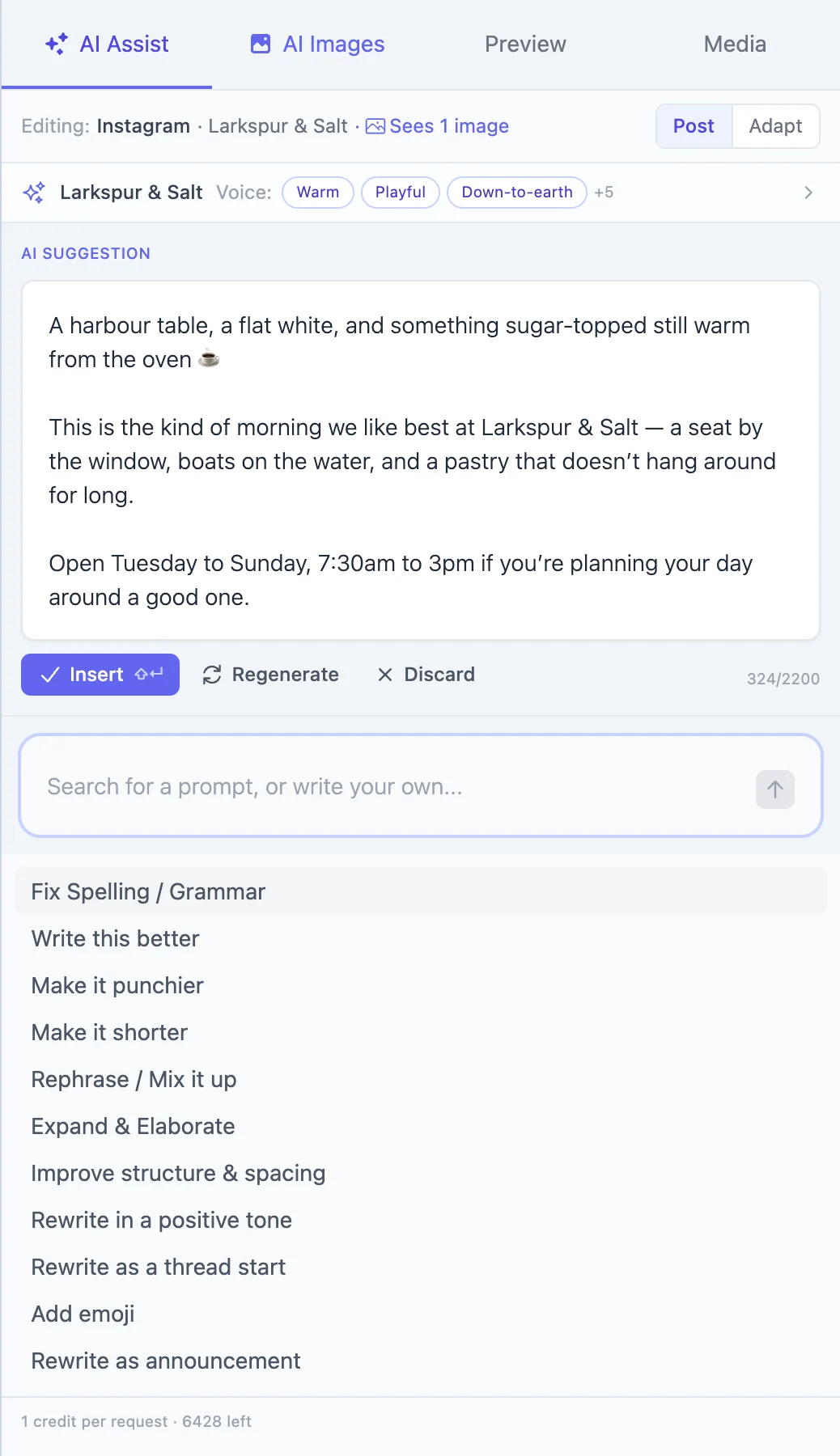
AI Assist sits beside the composer, knows which network you are writing for, sees the images on the post and writes as your brand. Every suggestion waits for you to insert it.
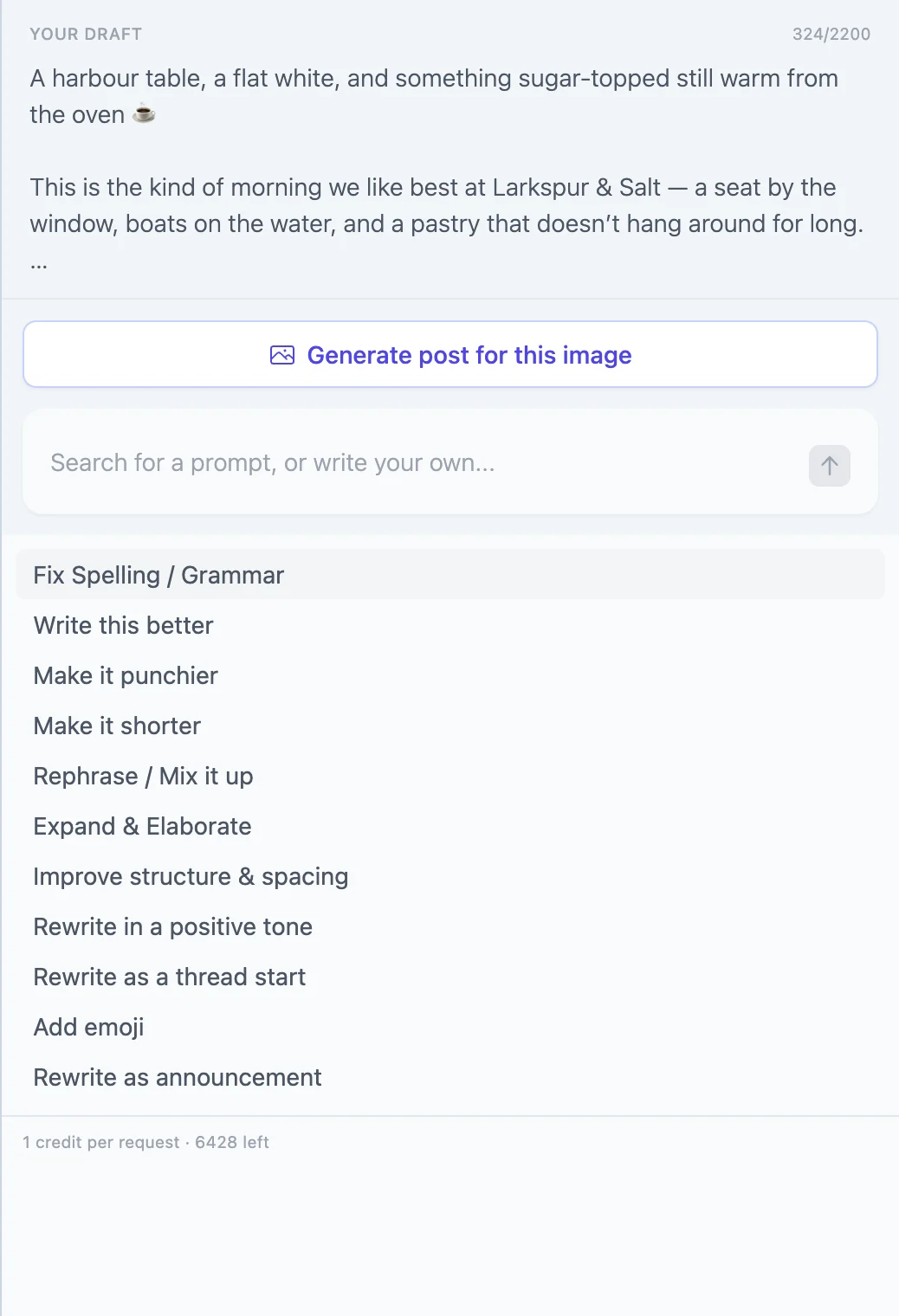
Add an image and press “Generate post for this image”. AI Assist looks at it and writes around what it shows — and it will not invent what it cannot see, like who is in it or what something costs.
Brief it or hand it a long draft. Choose 3, 5 or 8 posts, then edit, regenerate or drop any one of them.
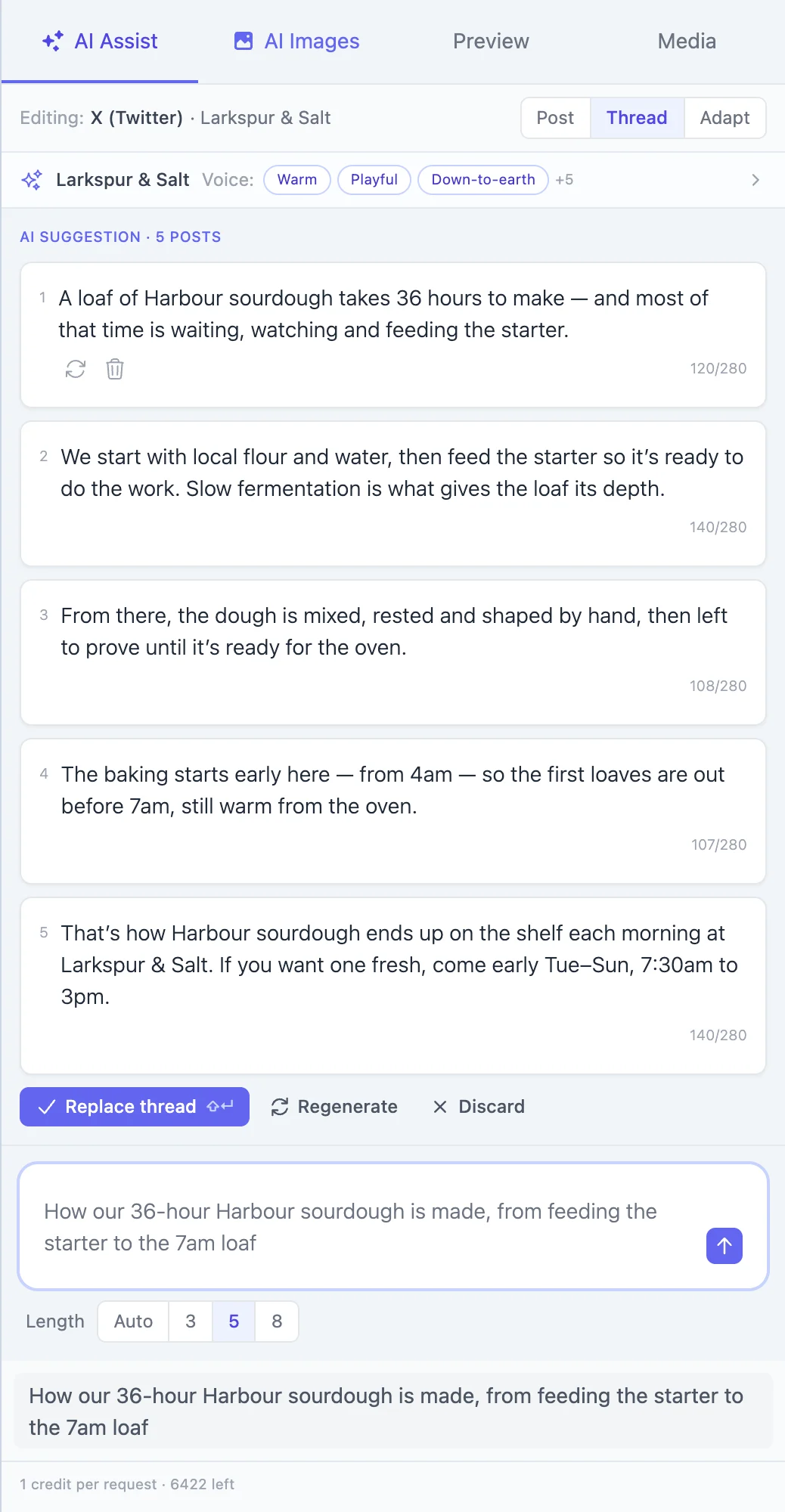
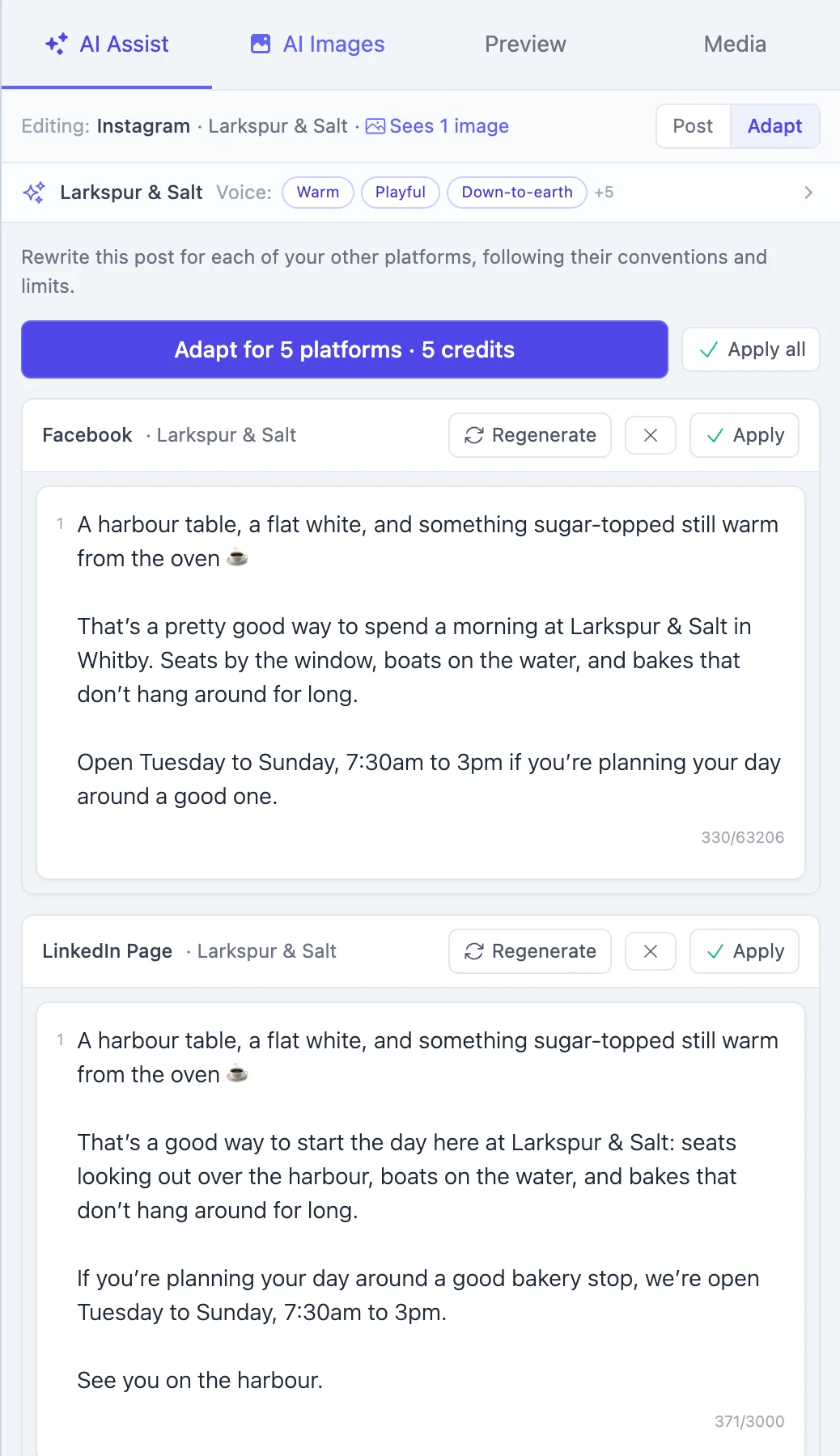
Adapt rewrites the post for each of your other accounts, to their conventions and limits.
Start typing to filter them, or ignore them and write your own instruction — “mention the bake box”, “make it a question”.
AI Images
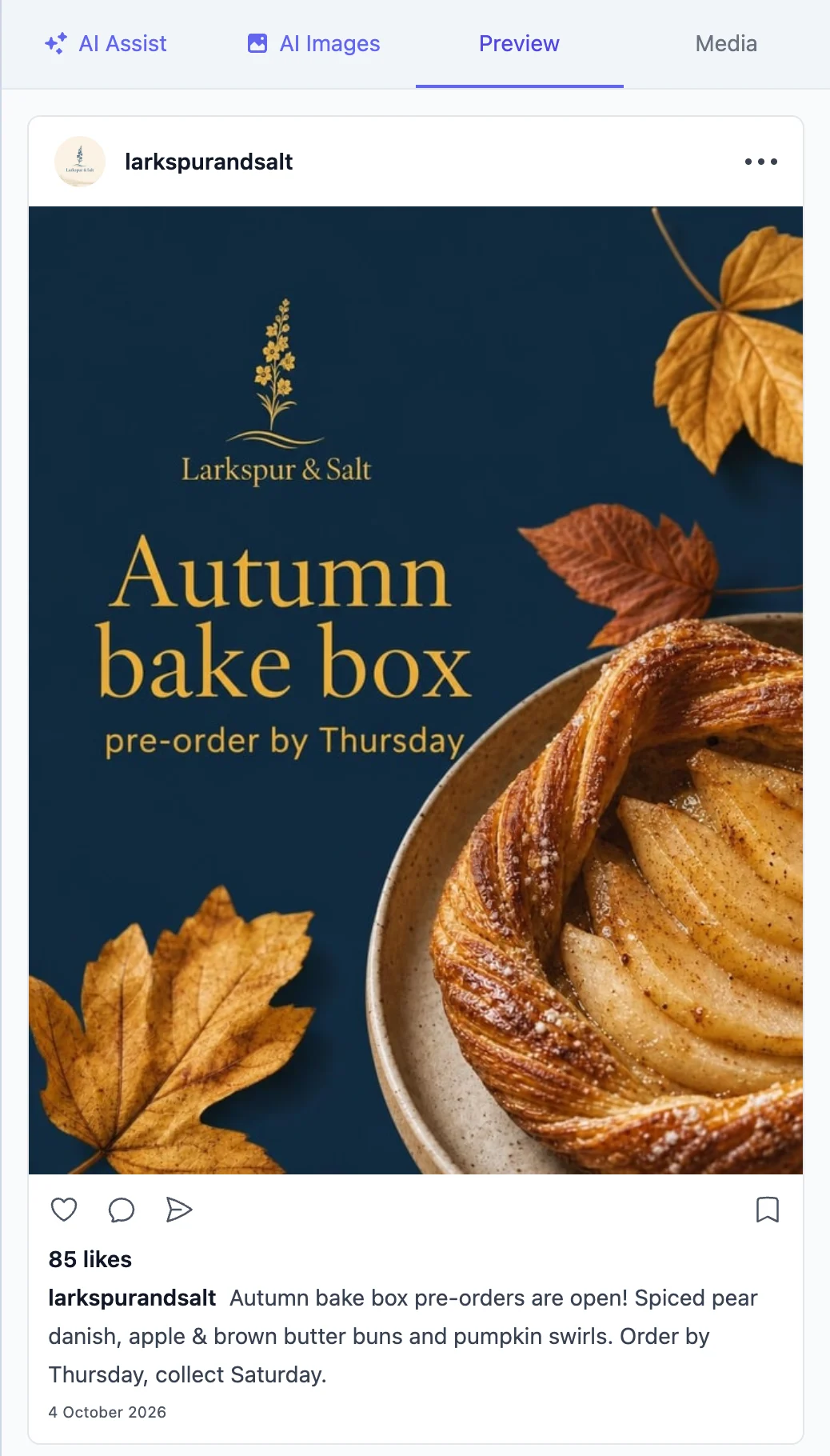
Describe it and AI Images makes it — a natural photo or a designed graphic, with your logo and colours, in the shape each network wants. Then change it in plain English until it is right.
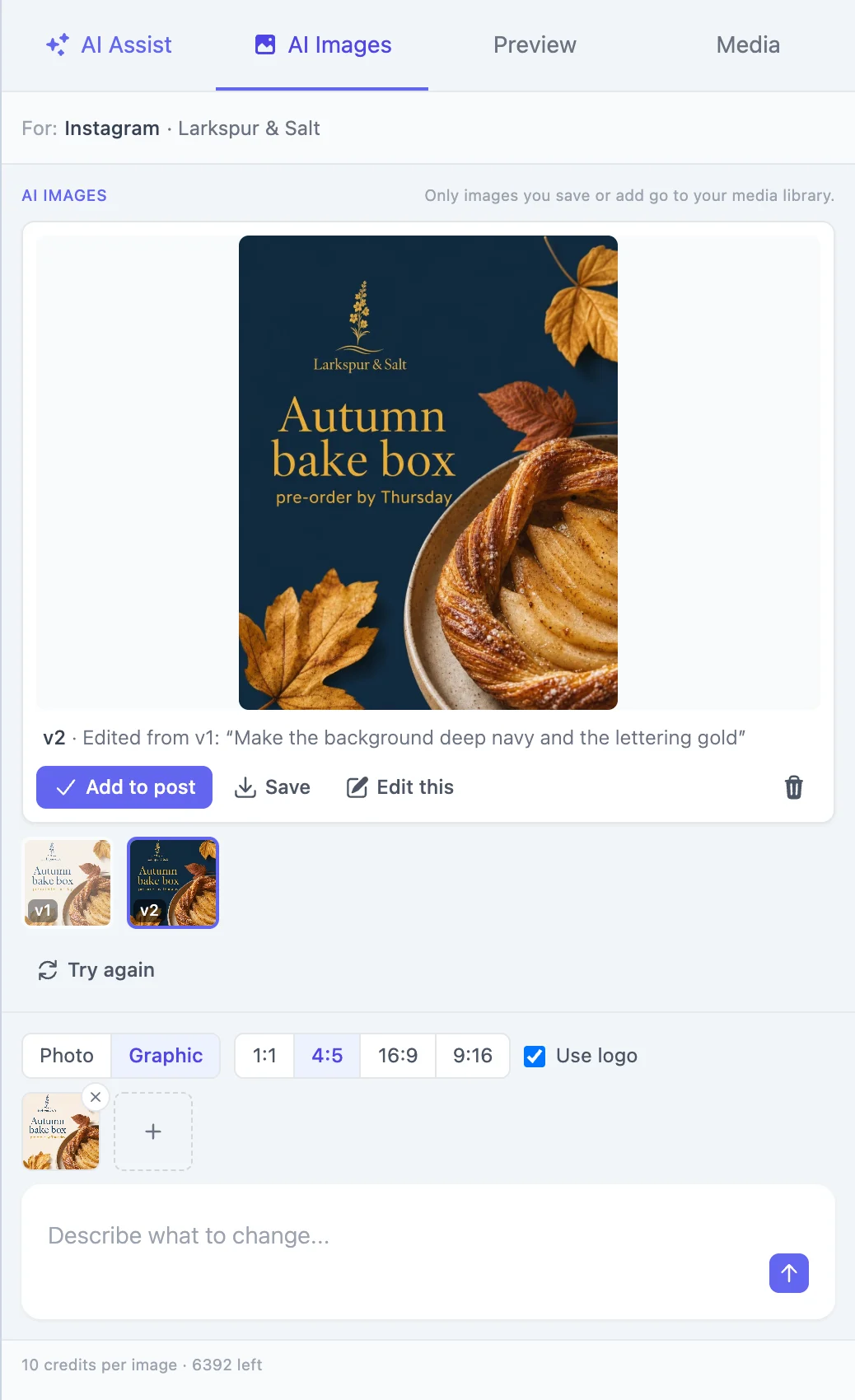
1Make a graphic, then change your mind
Pick Graphic, tick Use logo and say what it is for. Don’t like the colours? Say so. Each change is a new version beside the last, so nothing you liked is ever lost.
v1 · Describe the image
“A promo card for our Autumn bake box: “Autumn bake box — pre-order by Thursday”, with a spiced pear danish and autumn leaves”
v2 · Describe what to change
“Make the background deep navy and the lettering gold”




2Edit a photo you already have
Choose any image in your media library — or upload one — and press Edit with AI. Describe the change and keep what works. Drag the handle to see what one sentence did.
Describe what to change
“Make it a frosty December morning: frost on the window, warm fairy lights, a sprig of holly on the tray”
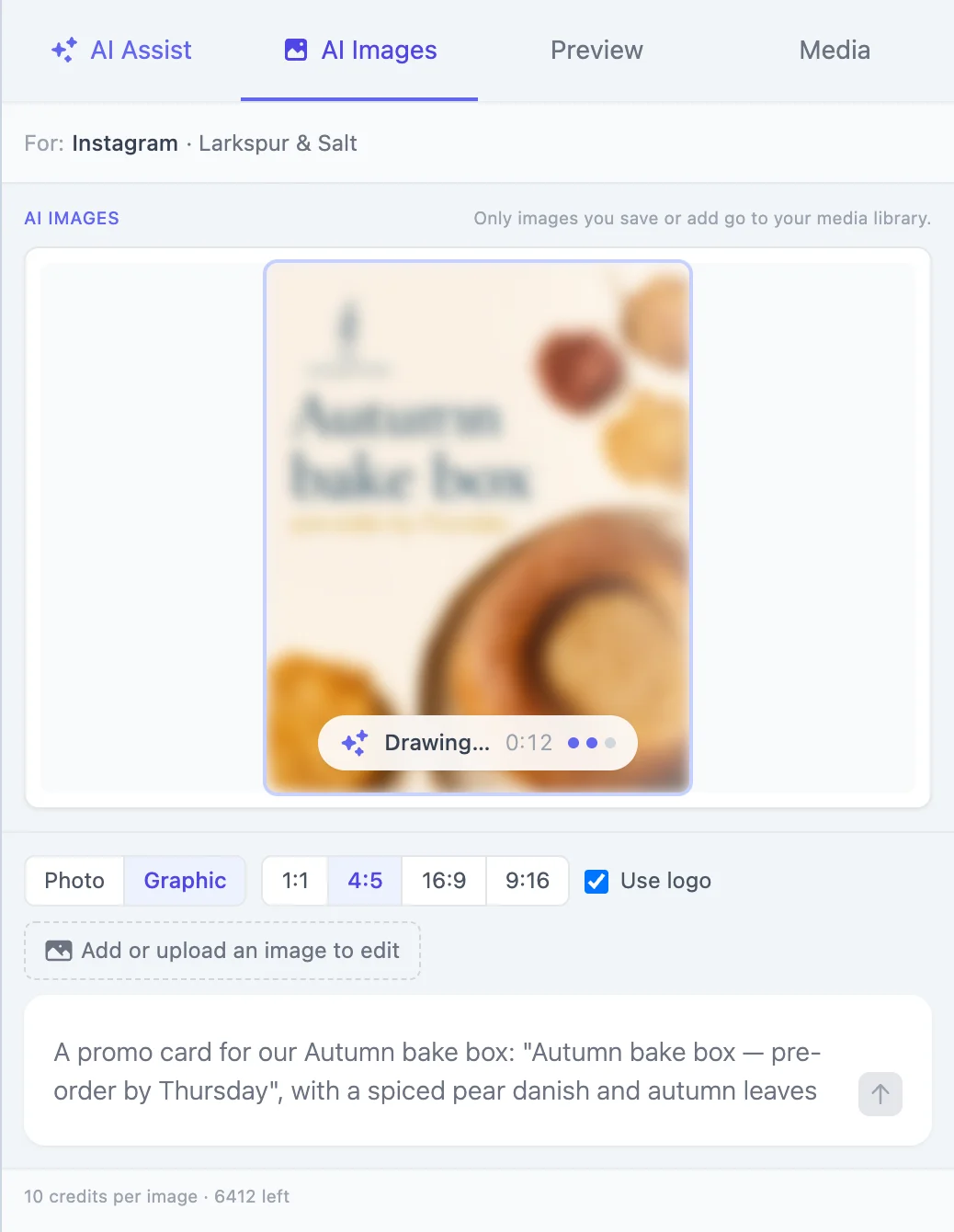
The preview sharpens while it draws, so you know early if it is heading the right way.
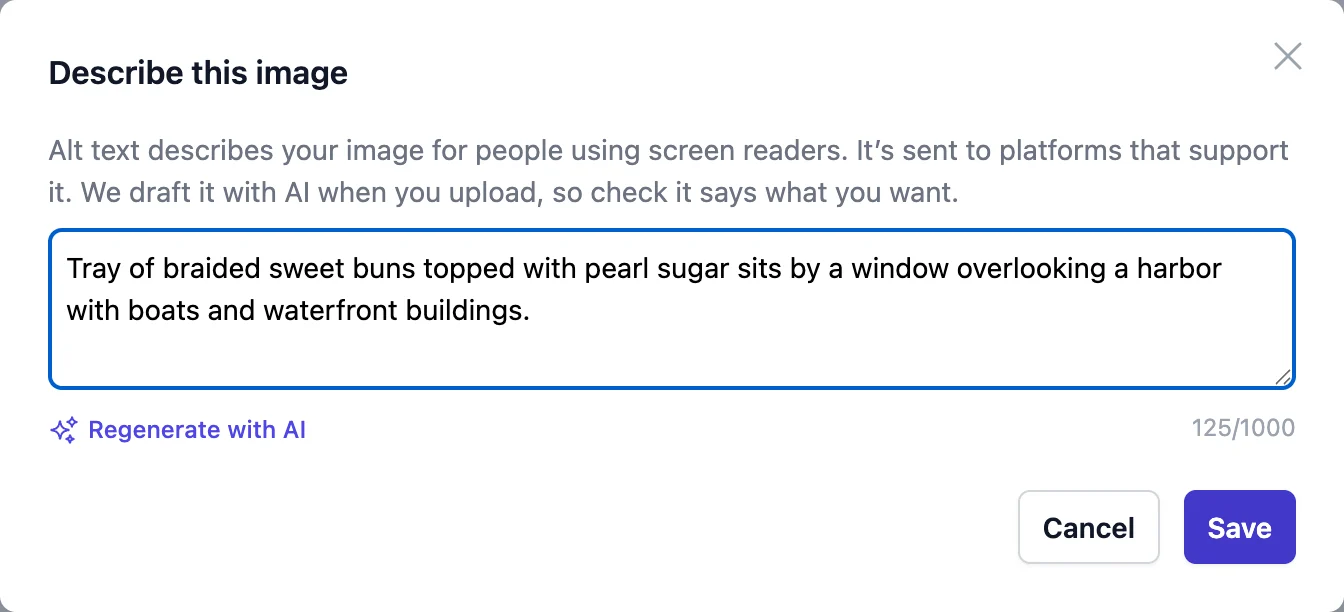
Alt text on every image, free
Every image you upload gets an AI-written description for screen readers, sent to the networks that support it. It costs no credits, and you can edit or regenerate it.





Every image here was made in AI Images for a demo bakery. Nothing was retouched.
Brand voice & business profile
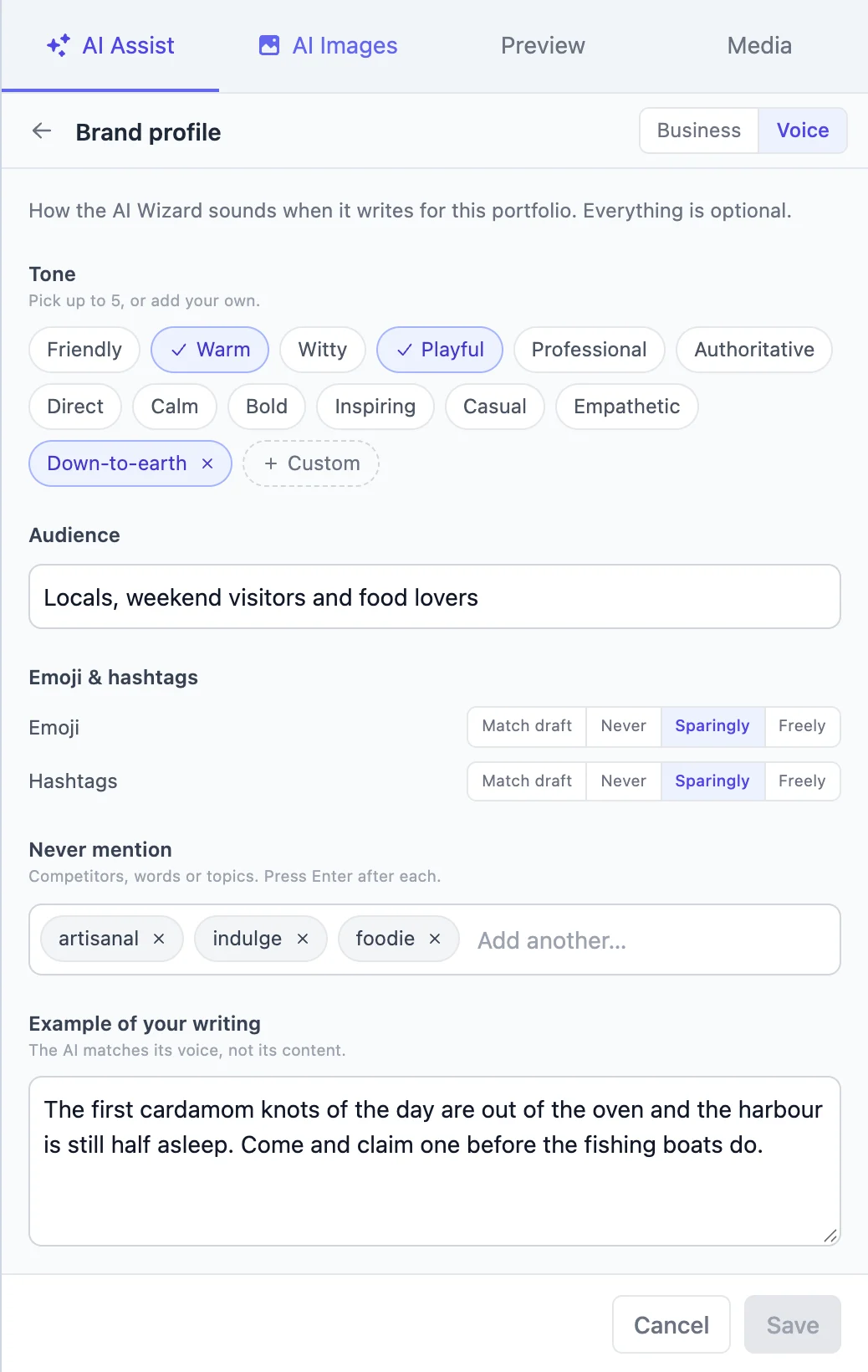
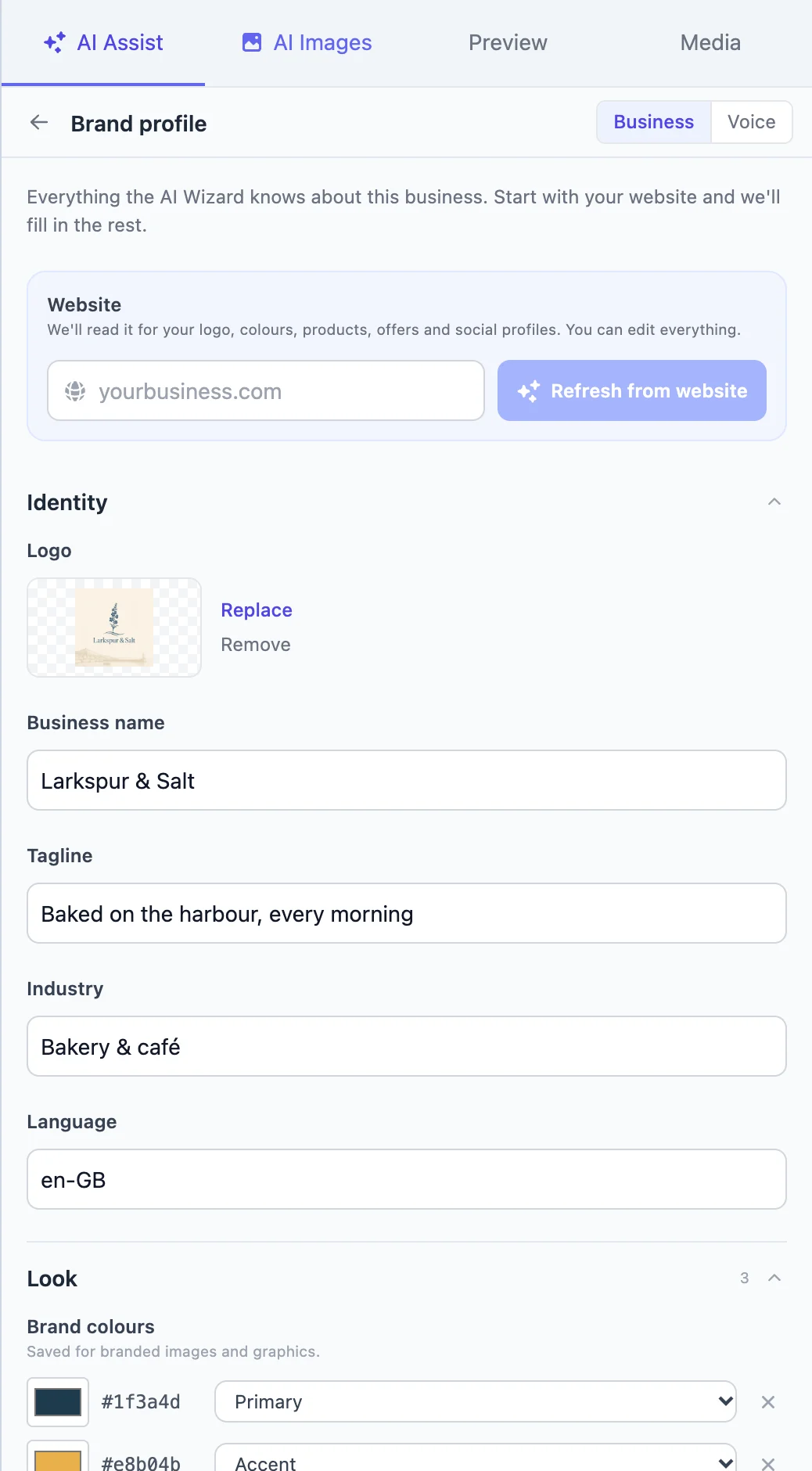
Generic AI writes generic posts. Fluxi gives the AI your tone, your audience, your products, your prices and your opening hours — so a post about the new pastry knows what it costs and when the shop is open.
The scheduler underneath
Once the post is written, Fluxi publishes it — to every network, on time, from a calendar that shows every client’s week at a glance.
Scheduling
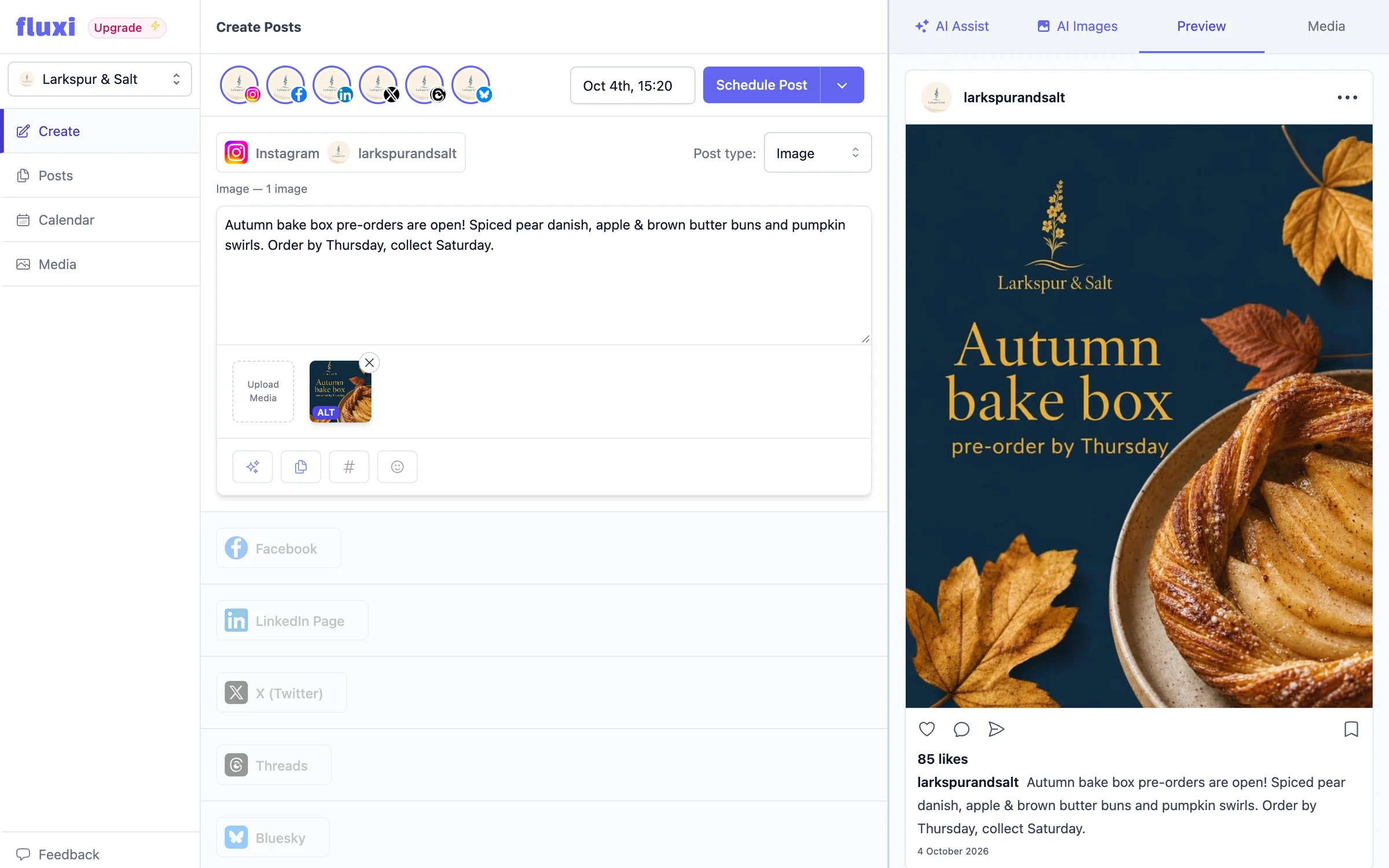
Fluxi’s composer puts every network you manage on one screen. Write the post, copy it across in one click, trim each network’s version to fit, check the preview, pick a time — and it goes out without you being at your desk.
Planning
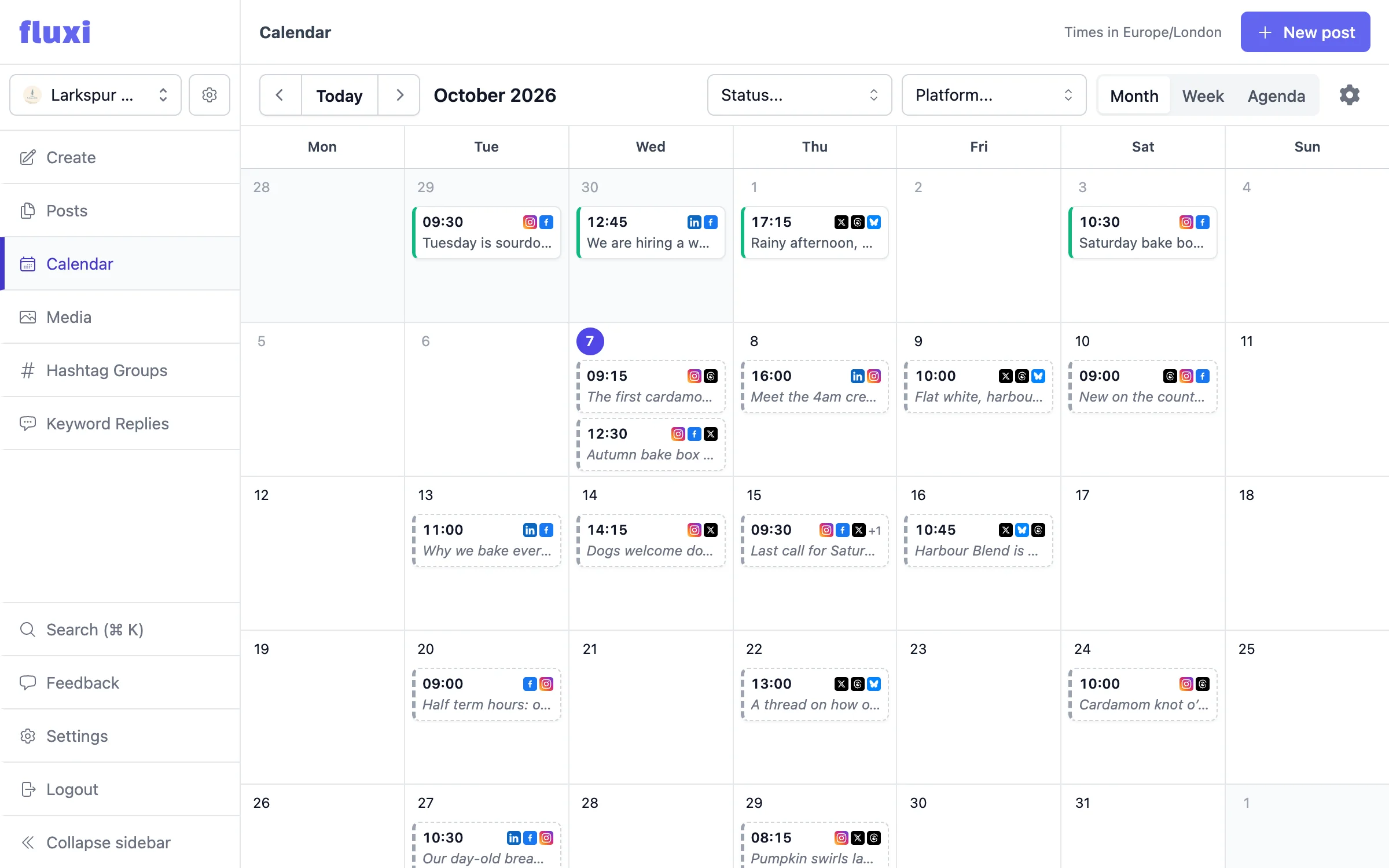
The calendar is the plan. Every post across every connected account, by month, by week or as an agenda, so you can see at a glance where the week is thin — and fill it before anyone asks why the feed went quiet.
Assets
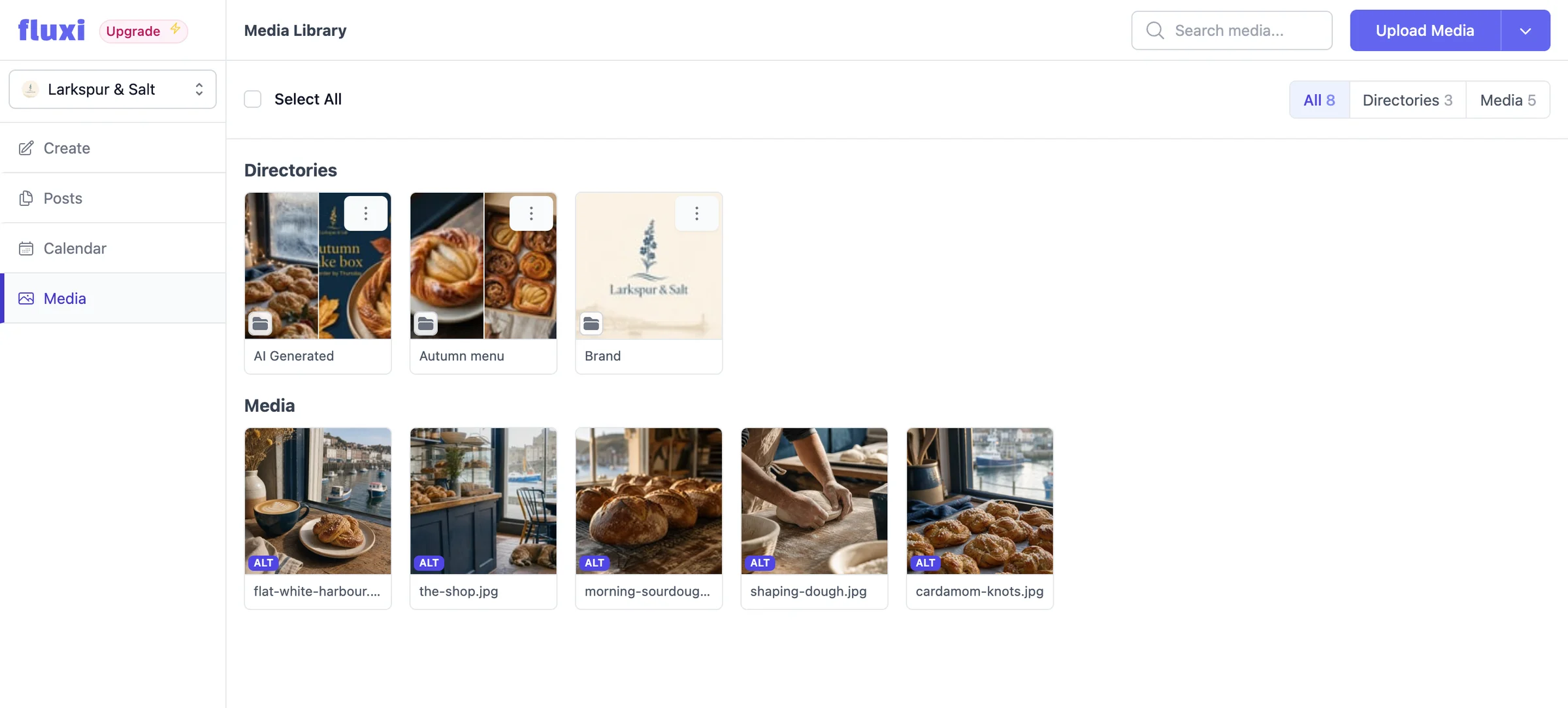
Every social portfolio gets its own media library. Upload images and video once, organise them into folders, and drop them into posts without leaving the composer — or opening the folder your client shared with you eight months ago.
Multi-client
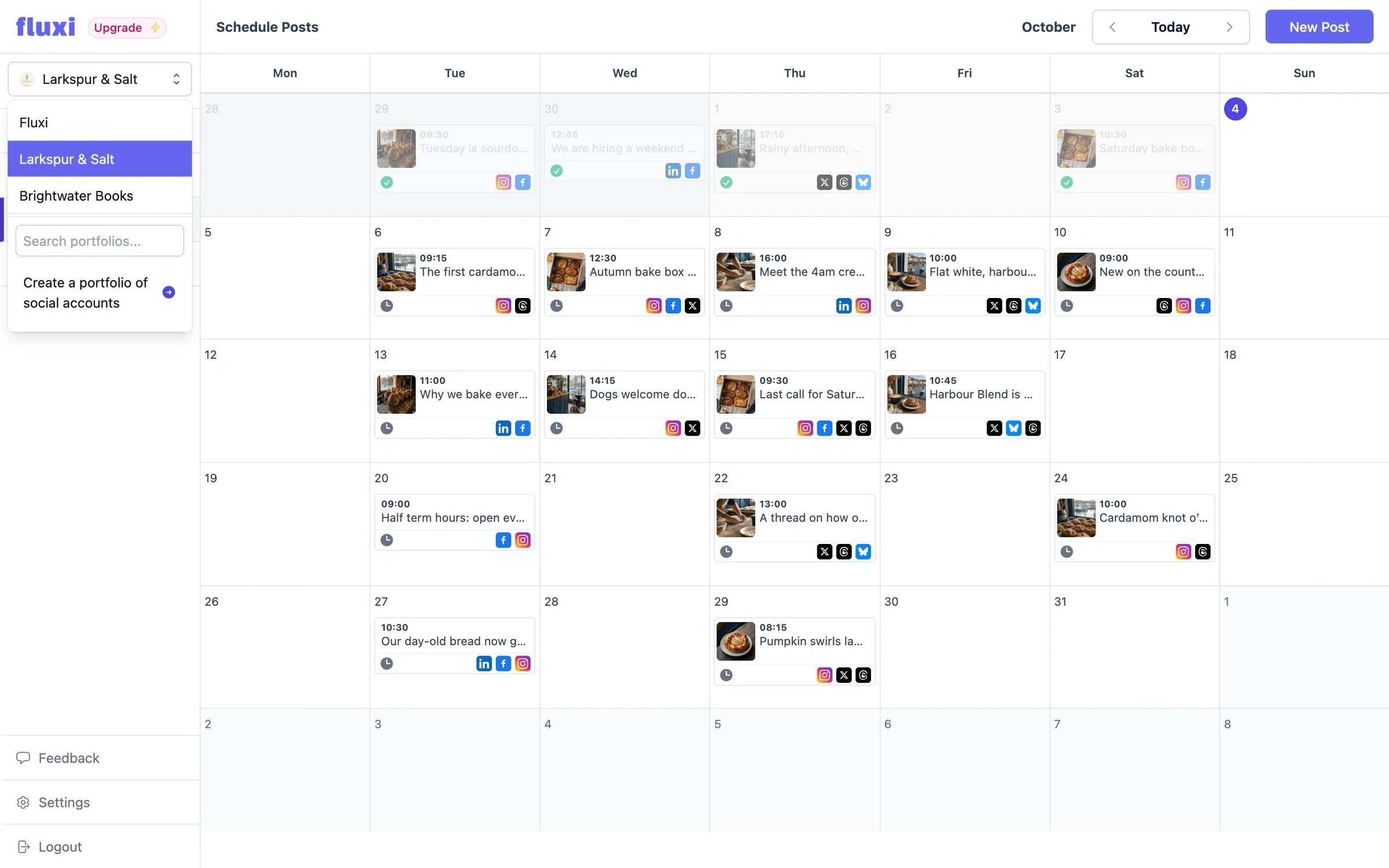
A social portfolio holds one client’s connected accounts, their calendar, their media library and their hashtag groups. Switch between them from the sidebar, add one when you win work, remove one when you lose it — and your bill follows.
Who it is for
Every client gets their own space, their own calendar and their own assets — and you only pay for the ones you are actually running.
Pricing
No tiers to grow into. A social portfolio is one client — add one when you win work, drop one when a contract ends, and the difference is prorated either way.
Build it from what you need. Most freelancers and small agencies land here.
Social portfolios
One per client — $10/month each
Additional users
Beyond you — $10/month each
AI Assist & AI Images
300 AI credits a month per portfolio, with top-ups if you need more
14 days free. No card required.
For agencies past the point where counting portfolios is worth the effort.
Annual billing charges nine months’ price for twelve on every line of the plan. You can move between monthly and annual, and between pay as you go and Unlimited, whenever you like.
FAQ
Two things, both beside the composer. AI Assist writes posts — from a photo, from a one-line brief or from your draft — refines them in one click, writes whole threads, and adapts a post for every other network. AI Images makes photos and on-brand graphics, and edits images you already have. Every image you upload also gets free AI-written alt text.
Much less than with a general chatbot, because Fluxi’s AI is told who it is writing for. Each social portfolio has a brand voice — tone, audience, a sample of your writing, words to avoid — and a business profile with your products, prices and opening hours. It also follows each network’s conventions and avoids the tell-tale habits, like hashtags and emoji you did not ask for.
No. AI Assist and AI Images only ever suggest. Nothing changes in your post until you insert it, you can undo afterwards, and publishing is always something you schedule.
Every AI action uses credits from your team’s monthly allowance: 1 for a piece of writing, 10 for an image or an image edit. Pay as you go includes 300 credits a month for each social portfolio, Unlimited includes 10,000, and the free trial includes 50. Paying teams can buy top-ups that last as long as they are subscribed. AI alt text is free.
X, LinkedIn, Instagram, TikTok, YouTube, Threads, Facebook and Bluesky. Google Business Profile is in progress. Each account is connected once and stays connected until you disconnect it.
One client or brand, and everything belonging to it: the connected accounts, the calendar, the media library and the saved hashtag groups. You switch between portfolios in the app, and you are billed per portfolio.
fourteen days, no card required. The trial runs one social portfolio for one person with AI Assist and AI Images included, plus 50 AI credits — up to three platforms connected and two posts a day, which is enough to take a post all the way from draft to published before deciding.
$10 a month per social portfolio, $10 a month for each person beyond you, with AI Assist, AI Images and a monthly allowance of AI credits included. If that adds up past $199, take Unlimited instead.
More questions are answered on the full FAQ page, and step by step in the AI help guides.
Connect an account, add a photo and press one button. You can do all of it on the free trial, today — AI included.
14 days free. No card required.